NIVO Office · for Windows
Every company’s papers, on your own PCs.
NIVO Office keeps the documents, letters of credit and cases of many companies on your computers, in order, easy to find and synced with NIVO Desk. The original files stay with you.
Free for 30 days on up to 3 PCs.
Made for
One company
Your company’s papers, certificates and letters of credit in one place, with a reminder before anything expires.
A group of companies
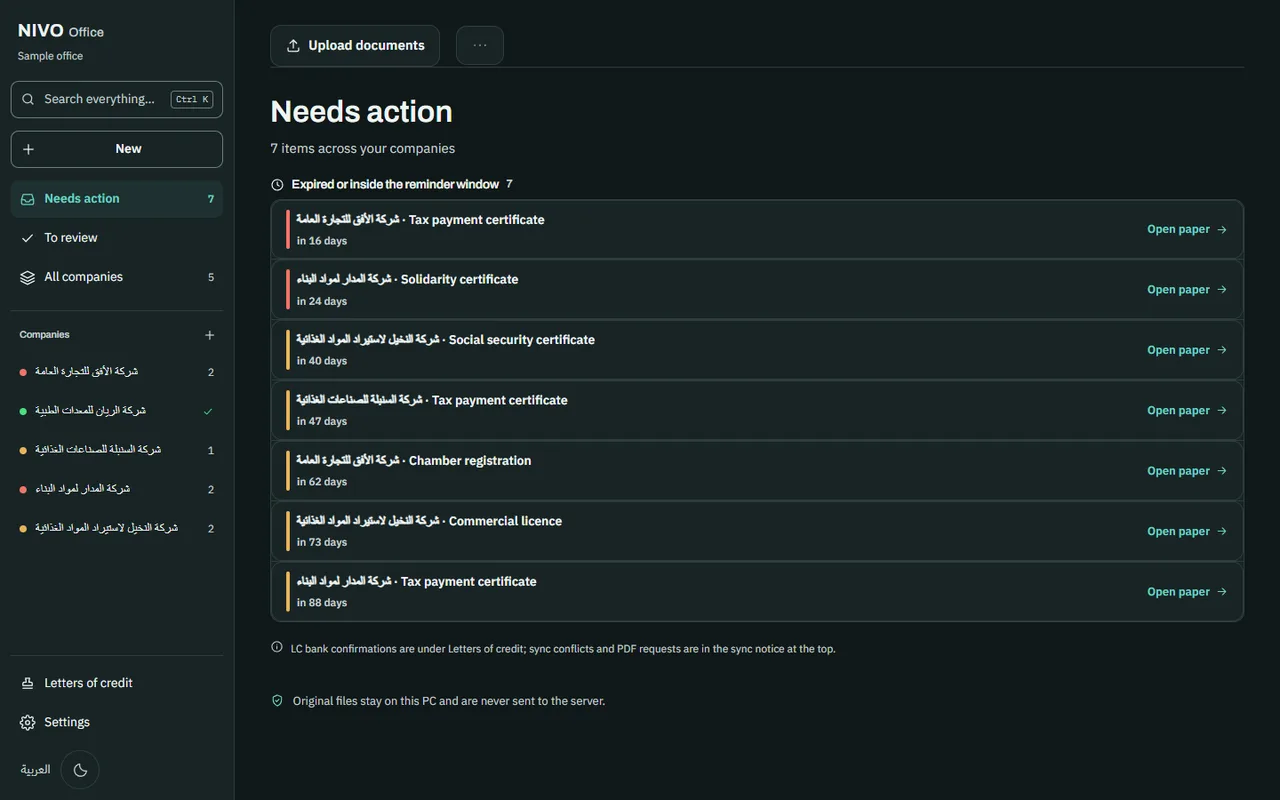
Every company in the group on one screen, grouped under its holding company, with one list of what needs action.
An office serving client companies
Each client’s companies kept apart and grouped by client, so you always know whose paper you are holding.
What NIVO Office does
Reads your papers on the PC
Upload a scan or a PDF. NIVO Office reads it on your computer and recognises the kind of document and its expiry date.
One list of what needs action
Papers that have expired or are close to expiring, across all your companies, in one list.
Ready for a letter of credit
The tax payment, social security and solidarity certificates are shown for every company, with any missing one marked.
Find anything
Search companies, papers, numbers, dates and the text read from your papers (Ctrl+K).
LC tools without AI
Inside NIVO Office the LC tools run on your PC, without AI and with no charge per use: proforma check, FCMS data, credit review, amendment letter, documents check and scan repair.
Works with NIVO Desk
Companies, readings, expiry dates and follow-ups sync through nivogroup.ly, so your team sees the same work on NIVO Desk. Each PC keeps working offline and syncs when it is back online.
Your papers stay with you
The original files stay on your PCs
A PDF stays on the PC that uploaded it and is not sent to NIVO’s server. Only what was read from it syncs.
Works without internet
A licensed PC keeps its tools for 30 days without reaching nivogroup.ly.
Your papers are never locked away
If the yearly plan ends, sync and updates stop and NIVO Desk shows your office read-only. The tools keep working and your papers stay where they are.
Prices
One licence per office, counted by PCs. Each PC is bound to the licence the first time it syncs. The licence is paid once.
| PCs | Licence | Per PC | Yearly plan from year 2 |
|---|---|---|---|
| 1 PC | 1,500 LYD | 1,500 LYD | 450 LYD |
| 3 PCs | 3,900 LYD | 1,300 LYD | 1,170 LYD |
| 5 PCs | 5,500 LYD | 1,100 LYD | 1,650 LYD |
| 10 PCs | 9,000 LYD | 900 LYD | 2,700 LYD |
- Each PC beyond 10: 900 LYD.
- The licence includes the first year of updates and sync. After that, the yearly plan is 30% of the licence price.
- Free trial: 30 days for up to 3 PCs, once per office.
- Prices in Libyan dinars. The price shown is the full amount.
How to pay
An office admin asks for the licence on NIVO Desk and pays by bank transfer or from their NIVO credits. A licence paid from credits is active at once; one paid by transfer is activated once NIVO confirms the money arrived.
Open the Licence screen on NIVO DeskWhat you need
- System
- Windows 10 or Windows 11, 64-bit
- Installer
- About 370 MB
- Account
- A NIVO account, to sign each PC in
- Internet
- To sign a PC in, start the trial or the licence, and sync. A licensed PC works offline for up to 30 days.
Try NIVO Office free for 30 days
Ask us for NIVO Office. Once it is on your PC, sign it in to your NIVO account and the trial starts.